Best Silent Laser Engraver: BlazeX M3 Leads

Quiet matters more than watts for a home engraver. Six machines compared on enclosures, power, work area and warranty, with the BlazeX M3 out front.

By Ash MoralesUpdated 15 min read
On this page
- Best silent laser engraver at a glance
- Why quiet is a fan problem, not a laser problem
- How I ranked six machines on the data
- 1. BlazeX M3 10W Laser Engraver Machine — Best overall
- 2. Carverall K15 Pro Laser Engraver 10W — Best for families
- 3. LONGER Laser Engraver Ray5 5W — Best warranty
- 4. ACMER S1 Laser Engraver Machine — Best budget pick
- 5. CREALITY FALCON 10W Laser Engraver — Most versatile
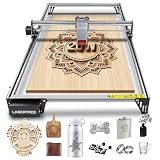
- 6. LASER TREE 20W Laser Engraver & Cutter — Best premium
- Which power rating do you actually need?
- How much desk space will each one eat?
- When a different pick wins
- The verdict
- FAQ
The best silent laser engraver here is the BlazeX M3 10W, because its full enclosure traps the fan and fume noise that makes an open-frame machine loud, while holding 0.01mm precision in a 4.7 x 4.3 x 1.2 in body. If you're sharing a machine across a household, the Carverall K15 Pro is the better buy, with a near-A4 work area and a verified 10.36 to 10.58W output claim. One honest note up front: no machine here publishes a decibel figure, so quiet is a judgment you make on design, not a number on the box.
Best silent laser engraver at a glance
| Pick | Power | Enclosed? | Price |
|---|---|---|---|
Best overall BlazeX M3 10W |
10W | Yes, full enclosure | Check Price |
Best for families Carverall K15 Pro |
10W (10.36–10.58W claim) | Not stated | Check Price |
Best warranty LONGER Ray5 5W |
5W | Open frame | Check Price |
Best budget pick ACMER S1 |
2500mW | Open frame | Check Price |
Most versatile CREALITY FALCON 10W |
10W | Open frame + air assist | Check Price |
Best premium LASER TREE 20W |
20W | Open frame | Check Price |


Why quiet is a fan problem, not a laser problem
Here's the trick most guides miss. A diode laser makes almost no sound on its own. The noise comes from three moving parts: the cooling fan on the module, the stepper motors that drag the head around, and the air assist pump if the machine has one. Chase a quieter machine by chasing those, not the laser wattage.
That reframes what "quiet" means for a purchase. An open-frame machine broadcasts every one of those sounds straight into the room. An enclosed machine puts a physical box between the fan and your ears. That is why the best silent laser engraver in this set is the one with a full enclosure, not the one with the most watts.
Two things follow from this:
- An enclosure dampens noise and contains fumes at the same time. One design choice, two problems solved.
- Air assist trades quiet for cut quality. The pump adds a steady hiss. Worth it for clean cuts, a drawback if you engrave near a sleeping baby.
None of these listings publish a decibel rating. So I judged quiet by design cues in the data: enclosure, footprint, and whether a pump is bundled. Treat that as informed inference, not a spec sheet promise.
How I ranked six machines on the data
I weighted the criteria before I looked at names, because a category this noisy needs a rule you can defend. My weights, heaviest first:
- Noise-friendly design (40%). Enclosure first, then footprint, then whether a loud pump ships in the box.
- Precision and power (30%). The published spot size and wattage, since a quiet machine that engraves poorly is pointless.
- Work area (20%). How big a project fits without stitching passes.
- Warranty and support (10%). The stated coverage, since motion parts wear.
Why those weights? Because the keyword is about quiet, and quiet is the whole point of buying a home machine over a workshop one. Precision comes second because every pick here claims 0.01mm accuracy, so it rarely breaks the tie. Work area and warranty settle close calls.
Two machines lost ground fast. The LASER TREE 20W is powerful but its 31.5 in span and open frame make it a loud, space-hungry choice for a bedroom. The ACMER S1 is the cheapest of the six, but at 2500mW it can't do the heavier work the others manage. Both still earned a place, just not near the top.
1. BlazeX M3 10W Laser Engraver Machine — Best overall
The BlazeX M3 wins because it's the only pick here that ships as a full enclosure, and that box is what actually keeps the noise down.
Best for: a maker who wants an enclosed machine on a shared desk Skip it if: you need to cut thick hardwood in one pass
What sets the BlazeX M3 apart in this group is the enclosure, full stop. Every other machine here is an open frame that throws fan and motor noise straight into the room. The M3 wraps the works in a box, which is exactly what makes it the best silent laser engraver of the six on design grounds. That same box contains fumes and blocks stray light, which the listing ties to its Class 1 safety rating.
The body is tiny at 4.7 x 4.3 x 1.2 in and 8 lb, so it lives on a desk without taking it over. BlazeX rates the 10W module at 0.01mm precision and lists compatibility with LightBurn, LaserGRBL and CutLabX across Windows, macOS, iOS and Android. A honeycomb, tool kit and 13 engraving materials come bundled, so a beginner starts cutting the first day.
The trade-off: an enclosed 10W diode won't power through thick stock the way the open LASER TREE 20W does. You buy the M3 for calm and containment, not raw cutting muscle.
Pros:
- Only full enclosure in this set
- Compact 4.7 x 4.3 x 1.2 in footprint
- 0.01mm precision claim at 10W
- Starter kit with 13 materials included
- One-year warranty
Cons:
- Only one seller lists it
- Weaker on thick cuts than the 20W pick
- No published work-area dimension
- Sells slower here than most rivals
2. Carverall K15 Pro Laser Engraver 10W — Best for families
The K15 Pro earns the family pick with a near-A4 bed and the lightest body here, so it moves between rooms without a fight.

Best for: a household sharing one machine across projects Skip it if: you want the smallest possible footprint
The K15 Pro splits the difference between the tiny BlazeX and the big open-frame machines. At 5.91 lb it's the lightest pick in the group, so one person can lift it off a shelf and set it up for the next project. Carverall claims an 11.8 x 7 in near-A4 work area, which is roomier than a truly compact machine while staying manageable on a kitchen table.
Carverall states a verified 10.36 to 10.58W output and 4K clarity at 0.01mm precision, with speeds up to 15,000mm/min. The company also points to a large user base and lifetime support, which matters when several people in one home will hit setup questions at different times. It's the second-cheapest of the six.
The catch on the noise front: this is not an enclosed machine, so it won't hush the fan the way the BlazeX does. It's a family workhorse first, a quiet machine second. Several sellers stock it, which helps if the first listing runs dry.
Pros:
- Lightest machine here at 5.91 lb
- Near-A4 work area claim
- Verified 10.36–10.58W output claim
- Lifetime support cited by maker
- Second-cheapest of the six
Cons:
- No enclosure to dampen noise
- No listed weight-to-dimension footprint
- Colour and finish limited to gray
- Power claim is the maker's own
3. LONGER Laser Engraver Ray5 5W — Best warranty
The Ray5 backs its one-year coverage with a 3.5-inch touch screen and offline control, which cuts your reliance on a tethered laptop.

Best for: a beginner who wants a touch screen and offline control Skip it if: you need more than 5W of cutting power
The Ray5 is the pick for someone who wants to run jobs without a computer permanently plugged in. It carries a 3.5-inch touch screen and supports USB, TF card, WiFi and app connections for offline use, per LONGER. That's a genuine usability edge over machines that live and die by a laptop cable. It's a 2024 release, the most recent dated model in this set.
Power sits at 5W with a 0.08 x 0.08mm laser spot and a claimed 0.01mm engraving accuracy, driven by a 240MHz ESP32 chip. The 400 x 400mm work area is generous, and safety features include emergency shutdown and motion protection. Its footprint runs 5.9 x 12.2 x 23.6 in at 8.26 lb, so plan the bench space.
On noise, it's an open frame like most here, so the fan is audible. And at 5W it engraves cleanly but won't cut as deep as the 10W and 20W picks. You choose it for the screen, the offline freedom, and the reassurance of stated coverage.
Pros:
- 3.5-inch touch screen for offline jobs
- 400 x 400mm work area
- 0.08mm laser spot claim
- 2024 release, newest dated model
- Several sellers stock it
Cons:
- Only 5W, weakest of the 10W-plus picks
- Open frame, no noise damping
- Large 23.6 in footprint
- Warranty matches the field, not exceeds it
4. ACMER S1 Laser Engraver Machine — Best budget pick
The S1 is the cheapest way into engraving here, arriving 99% preassembled so a first-timer is running in about a minute.

Best for: a first-timer testing whether engraving is for them Skip it if: you plan to cut anything thick or metal
The S1 exists for one job: getting you started for as little as possible. It's the cheapest of the six and ships 99% preassembled, with a one-minute laser head install. If you're not sure engraving will stick as a hobby, this is the low-risk door in. The aluminum-alloy body weighs about 2kg, so it stores on a shelf between sessions.
Power is the honest limit. At 2500mW diode with a stated 24W machine output and a 455±5nm wavelength, it engraves wood, bamboo, leather, plastic, PCB, ceramics and more, but it's not a deep cutter. ACMER bundles its free Acmerstudio software, ready out of the box. The frame measures 6.38 x 9.84 x 9.84 in, compact for a small desk.
There's no enclosure, so the fan is out in the open. And the modest power means anything thick or metallic is off the table. Buy it to learn the craft cheaply, then upgrade once you know what you cut most.
Pros:
- Cheapest of the six
- 99% preassembled, one-minute head install
- Compact 6.38 x 9.84 x 9.84 in frame
- Free bundled Acmerstudio software
- Aluminum-alloy, roughly 2kg body
Cons:
- 2500mW, the lowest power here
- No enclosure for noise or fumes
- Not suited to thick or metal cuts
- No touch screen or offline display
5. CREALITY FALCON 10W Laser Engraver — Most versatile
The Falcon takes versatility with a 4-in-1 rotary roller and bundled air assist, so tumblers and cylinders join the flat work.

Best for: someone engraving tumblers and cylinders with air assist Skip it if: your workspace is tight or noise-sensitive
The Falcon is the pick when your projects aren't flat. Its Rotary Kit Pro is a 4-in-1 roller with adjustable jaws for objects of different shapes, which is how you engrave a tumbler or a bottle cleanly. Add the bundled adjustable-airflow air pump, which Creality says clears smoke and dust during cuts, and you get a machine built for range rather than a single trick.
Creality lists 10000mW output and claims a 12mm wood board or 3mm black acrylic cut in one pass at speeds up to 10000mm/min, with a 0.06mm laser spot. That 0.06mm figure is coarser than the 0.01mm the BlazeX and Ray5 claim, a small precision trade for the extra cutting reach. Assembly runs 10 to 20 minutes.
Two honest downsides. The body is large at 24.8 x 17.3 x 9.33 in, and the air pump adds a steady hiss on top of an open frame. This is the least quiet-friendly of the mid picks, chosen for capability, not calm. It's the second-most-expensive pick here.
Pros:
- 4-in-1 rotary roller for cylinders
- Bundled adjustable air assist
- One-pass 12mm wood cut claim
- Speeds up to 10000mm/min claimed
- Emergency stop and anti-UV filter
Cons:
- Air pump adds constant hiss
- Large 24.8 x 17.3 in footprint
- Coarser 0.06mm spot than top picks
- Only one seller lists it
6. LASER TREE 20W Laser Engraver & Cutter — Best premium
The LASER TREE 20W is the power-and-size play, with the highest wattage here and a 400 x 800mm bed for batch work.

Best for: small-batch sellers who need a large bed Skip it if: you want something compact and quiet near people
The LASER TREE is here for the maker who has outgrown small work. It's the only 20W machine in the set, and LASER TREE cites 3-beam combined compression technology for stable optical power. Pair that with a 400 x 800mm working area and you can lay out multiple pieces at once, which is the real point of a machine this size. It's the most expensive pick here.
The company claims a maximum 10000mm/min engraving speed and lists compatibility with LightBurn and LaserGRBL on Windows and Mac. Materials span wood, acrylic, leather, fabric and cardboard, aimed at daily and commercial use. If throughput is your bottleneck, this bed clears it.
But this is the opposite of a quiet desk machine. It measures 5.87 x 31.5 x 31.8 in, so it dominates a table, and the open frame with 20W of power runs loud. It's also the slowest seller of the six. Buy it for output and bed size, and put it somewhere the noise won't matter.
Pros:
- Highest power here at 20W
- Large 400 x 800mm bed
- 3-beam compression technology claim
- 10000mm/min speed claim
- Broad material support cited
Cons:
- Largest and loudest of the six
- Most expensive pick here
- Only one seller lists it
- No published weight figure
Which power rating do you actually need?
More watts is the number buyers fixate on, and it's the wrong first question for a quiet home machine. Power decides how thick you can cut, not how well you engrave. Every machine here claims fine-detail engraving at either 0.01mm or a 0.06mm spot, so all of them mark wood, leather and coated metal cleanly.
Match the rating to the job:
- 2500mW to 5W: engraving and light cutting on thin material. The ACMER S1 and LONGER Ray5 live here.
- 10W: the sweet spot for most home makers, cutting thin plywood and acrylic while staying compact. The BlazeX M3 and Carverall K15 Pro sit here.
- 20W: deeper cuts and faster passes for near-commercial work, at the cost of size and noise. Only the LASER TREE reaches this.
The pattern is simple. Higher power tends to mean a bigger, louder frame, which fights the quiet you came for. That's why the 10W enclosed BlazeX beats the 20W open LASER TREE for a shared room. Buy the least power that covers your thickest planned material, and spend the saved space and quiet on your ears.
How much desk space will each one eat?
Footprint decides whether a machine is a good neighbour or a nuisance, so check it before you check the specs sheet's power line. The published dimensions vary wildly across this set, and the largest is nearly seven times the length of the smallest.
Here's the range, smallest to largest:
- BlazeX M3: 4.7 x 4.3 x 1.2 in, 8 lb. Sits beside a keyboard.
- ACMER S1: 6.38 x 9.84 x 9.84 in, about 2kg. A small square of desk.
- LONGER Ray5: 5.9 x 12.2 x 23.6 in, 8.26 lb. Needs a full bench run.
- CREALITY FALCON: 24.8 x 17.3 x 9.33 in. Dominates a table.
- LASER TREE: 5.87 x 31.5 x 31.8 in. Basically a small workstation.
The Carverall K15 Pro doesn't publish full dimensions, but at 5.91 lb it's the lightest, and its near-A4 bed points to a modest footprint. If your space is a corner of a room where people live, the enclosed BlazeX is the natural fit. If you have a dedicated bench or garage, the big open frames become fair game.
When a different pick wins
The BlazeX M3 is the default, but three concrete conditions flip it.
- If you engrave tumblers, bottles or other round objects, the CREALITY FALCON wins on its 4-in-1 rotary roller and bundled air assist. The M3's flat bed can't rotate a cylinder.
- If you want to run jobs without a computer tethered, the LONGER Ray5 wins with its 3.5-inch touch screen and offline USB, TF card and WiFi control.
- If you're selling small batches and need a big bed, the LASER TREE 20W wins with its 400 x 800mm area and highest power here, provided you have somewhere loud to put it.
Two more quick calls. If budget is the whole story, the ACMER S1 is the cheapest door in at 2500mW. If several people share the machine, the Carverall K15 Pro's light 5.91 lb body and near-A4 bed make it the easy pass-around.
The verdict
The best silent laser engraver in this group is the BlazeX M3 10W, and the reason is structural. It's the only machine here that ships as a full enclosure, and that box is what actually contains the fan noise and fumes that make every open-frame rival louder. Add 0.01mm precision, a tiny 4.7 x 4.3 x 1.2 in footprint, and a starter kit with 13 materials, and it's the pick I'd put on a shared desk without hesitation.
Two conditions change the answer. First, if you engrave cylinders, the CREALITY FALCON's rotary roller and air assist do a job the M3 simply can't, so its versatility outranks the M3's quiet for that buyer. Second, if you need production-scale output, the LASER TREE 20W's 400 x 800mm bed and 20W power win, as long as noise is a non-issue where it lives.
The runner-up for most people is the Carverall K15 Pro. Its exact advantage over the M3 is a bigger near-A4 work area and the lightest body here at 5.91 lb, ideal when the machine gets shared and moved. It trades away the enclosure, so it's louder. For quiet first, the M3 stays out front.
FAQ
Is a silent laser engraver worth it over a cheaper open-frame model?
A silent laser engraver is worth it when the machine lives near people. An enclosed body like the BlazeX M3 contains fan noise, fumes and stray light in one design, which an open frame doesn't. If your machine sits in a garage or dedicated shop, an open-frame pick like the ACMER S1 saves money without the downside mattering.
Which power rating do I actually need for home projects?
The power rating you actually need depends on your thickest material, not the biggest number. For engraving and thin cuts, the 2500mW ACMER S1 or 5W LONGER Ray5 suffice. For cutting thin plywood and acrylic while staying compact, 10W picks like the BlazeX M3 hit the sweet spot. Reserve 20W for near-commercial batch cutting.
How much desk space does the BlazeX M3 need?
The desk space the BlazeX M3 needs is minimal: it measures 4.7 x 4.3 x 1.2 in and weighs 8 lb, the smallest footprint of the six machines here. It fits beside a keyboard. By contrast, the LASER TREE 20W spans 31.5 in, and the CREALITY FALCON runs 24.8 x 17.3 x 9.33 in, both needing a dedicated bench.
BlazeX M3 or Carverall K15 Pro, which should I buy?
Between the BlazeX M3 or Carverall K15 Pro, pick the M3 for quiet, since its full enclosure damps noise the open K15 Pro can't. Choose the K15 Pro when several people share the machine: it's the lightest here at 5.91 lb and claims a roomier near-A4 bed. Both list 10W power and 0.01mm precision claims.
What is the most common mistake when buying a laser engraver?
The most common mistake when buying a laser engraver is chasing wattage while ignoring footprint and noise. A loud 20W open frame in a bedroom becomes a machine you never run. Match power to your thickest material, then check whether an enclosure and small size, like the BlazeX M3's, fit where the machine will actually live.
Start by measuring the exact spot the machine will sit and asking who else will be in the room while it runs. Those two answers settle more than any spec line. For most home makers working near others, the enclosed BlazeX M3 is the safe default: it keeps the fan noise boxed in, holds 0.01mm precision, and takes up less desk than a laptop. Buy up to the FALCON or LASER TREE only when a rotary job or a big production bed genuinely forces your hand.